Visual Scripting
Gameplay Tags integrates with Game Creator 2 so designers can mutate tags and branch on them without custom code.
Choose a workflow
Section titled “Choose a workflow”| Goal | Use |
|---|---|
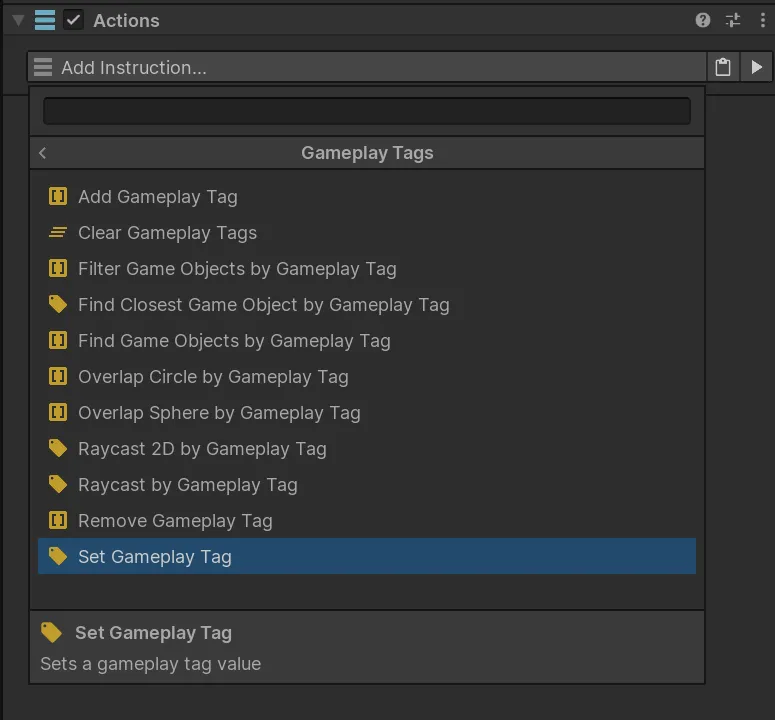
| Add, remove, clear, or set tags | Actions |
| Find, filter, raycast, or overlap tagged GameObjects | Actions |
| Ask whether an object or container has tags | Conditions |
| Compare individual tags or complete containers | Conditions |
| React when tags change or tagged objects enter physics callbacks | Events |
Matching
Section titled “Matching”Controls described as Exact require the complete path. Include Children lets a broad query match a more specific owned tag:
Owned: Interaction.Usable.DoorQuery: Interaction.UsableMode: Include ChildrenResult: trueSome object-query and event interfaces also offer Any, which accepts an object with a
GameplayTagComponent containing tags without requiring one selected path.