

Components
Animation Montages uses two main authoring and runtime objects.
Animation Montage asset
Section titled “Animation Montage asset”Create an asset through Create > Game Creator > Characters > Animation Montage. The asset owns the animation setup and visual timeline.
The Gesture settings include these groups:
| Group | Source-visible settings |
|---|---|
| Animation Source | Animation Clip |
| Timing & Playback | Delay, Speed |
| Blending & Transitions | Avatar Mask, Blend Mode, Blend In, Blend Out |
| Behavior & Flags | Use Root Motion, Restore Prev State, Hold Final Pose |
| Character Busy | Make Character Busy |
| Group & Categorization | Group, Category |
| Interruption & Canceling | Interruptible, Require Cancel Window, Priority, Conflict Behavior, Cancel Blend, Interrupt Blend |
| Completion & Post-Playback | Completion Behavior |
| Documentation | Description, Designer Notes |
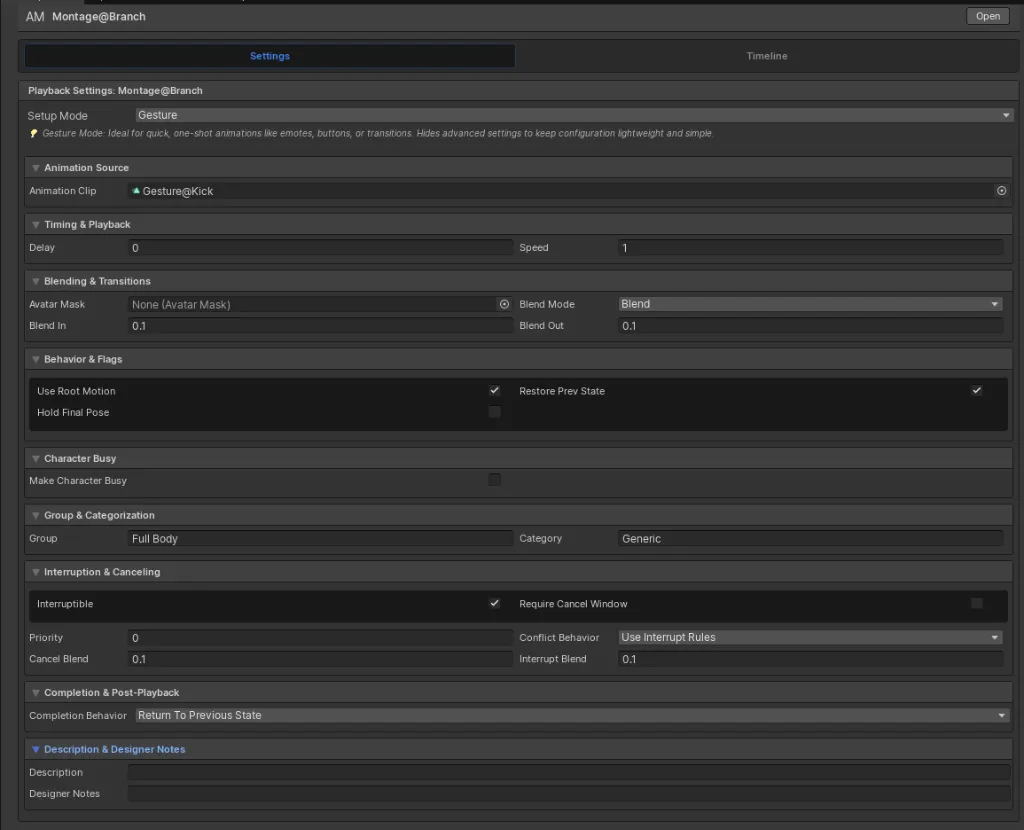
State mode additionally exposes entry and exit animation clips, masks, and root-motion options.
Animation Montage Player
Section titled “Animation Montage Player”Add Animation Montage Player to the Character GameObject that will run montage assets. The Player has these responsibilities:
- interpret the normalized timeline;
- manage Gesture and State playback;
- process Notifies, Windows, Sections, Branches, and Transform tracks;
- expose progress and active-window state; and
- dispatch visual-scripting and C# callbacks.
Use Getting Started for setup and C# API for the runtime surface.