
Streaming and Addressables
Direct references are the default. Streamed references use Unity Addressables for dynamic loading while keeping the same Reference IDs and selectors.
Direct versus Streamed
Section titled “Direct versus Streamed”| Mode | Best suited to | Runtime behavior |
|---|---|---|
| Direct | Small or always-needed assets and the simplest setup. | Serialized reference cached and resolved synchronously. |
| Streamed | Large optional content or assets needing memory control. | Registered and loaded through the Addressables-backed loader. |
Addressables dependency
Section titled “Addressables dependency”Addressables is required only for Streamed entries. The database shows
Addressables Not Installed and offers an inline install path when the package is missing.
Streaming settings
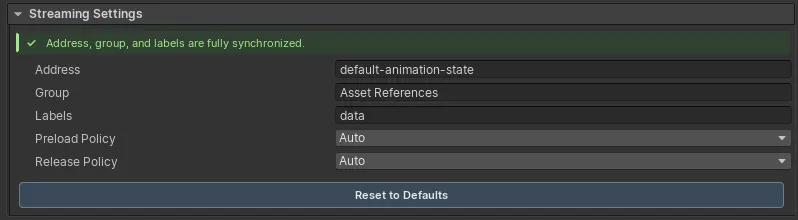
Section titled “Streaming settings”When an entry uses Streamed mode, its settings include:
- Address, defaulting to the Reference ID;
- Group, defaulting to an Asset References group;
- Labels, defaulting from tags and category;
- Preload Policy; and
- Release Policy.
Synchronization status
Section titled “Synchronization status”| Status | Meaning |
|---|---|
Synced |
Reference settings and Addressables metadata match. |
Mismatch |
Address, group, labels, or GUID registration drifted; use Sync Now or repair. |
Addressables Not Installed |
Streamed references cannot use the documented loader. |
Preload policies
Section titled “Preload policies”| Policy | Behavior |
|---|---|
Auto |
Load on demand when first requested. |
Preload On Start |
Preload after the game startup sequence finishes. |
On Scene Load |
Preload when a scene is loaded. |
Manual |
Preload only through C# or a Game Creator Instruction. |
Release policies
Section titled “Release policies”| Policy | Behavior |
|---|---|
Auto |
Release streamed assets when the active scene changes. |
Manual |
Keep assets loaded until code or an Instruction releases them. |
Immediate |
Release immediately after resolve; the source suggests prefab instantiation. |
Use asynchronous resolution for Streamed assets that are not already loaded. Keep ownership and release policy explicit when multiple systems share the same asset.
Runtime debugging
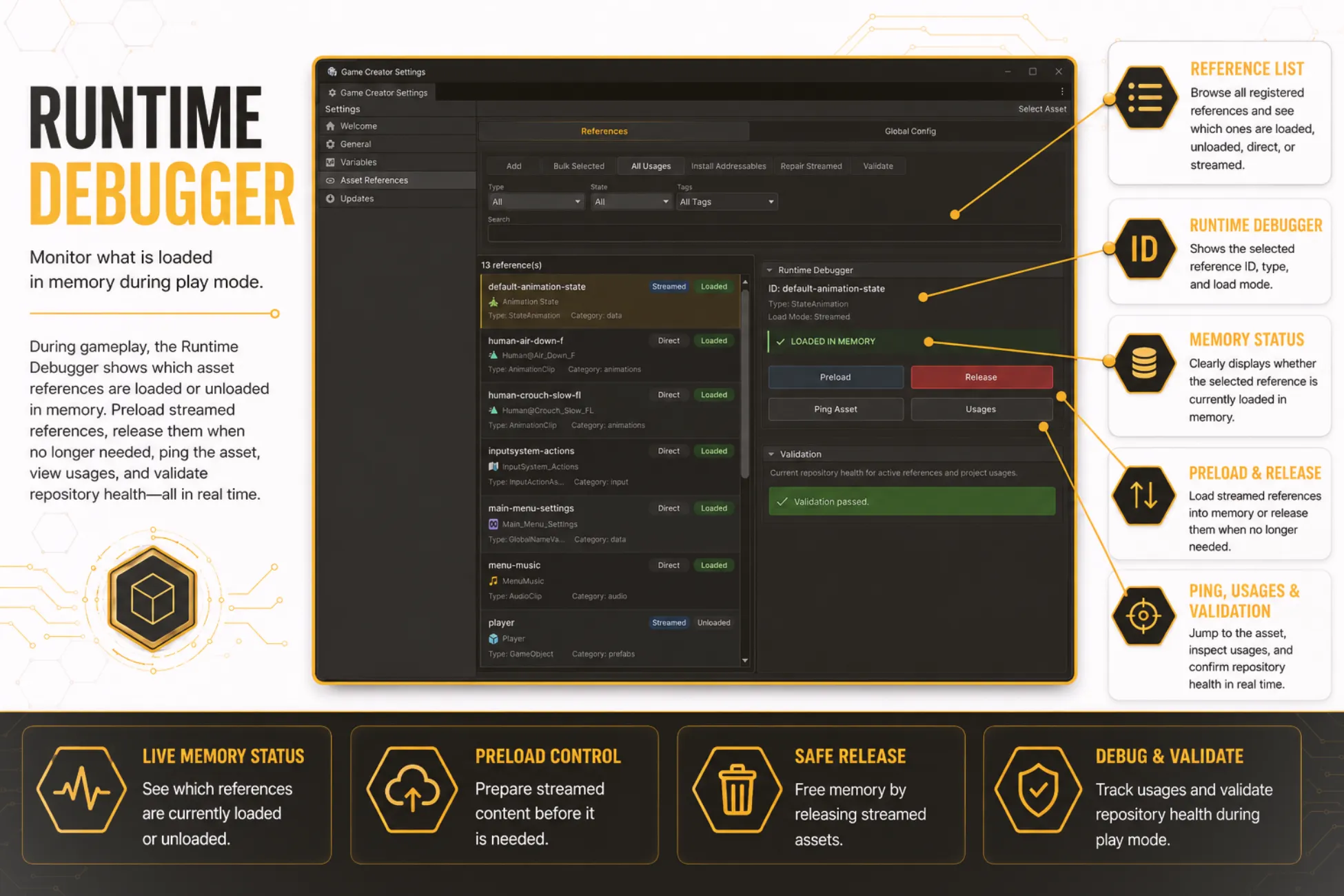
Section titled “Runtime debugging”In Play Mode, the database can show loaded and unloaded state, preload or release a Streamed entry, ping its asset, inspect usages, and validate repository health.