

Visual Scripting
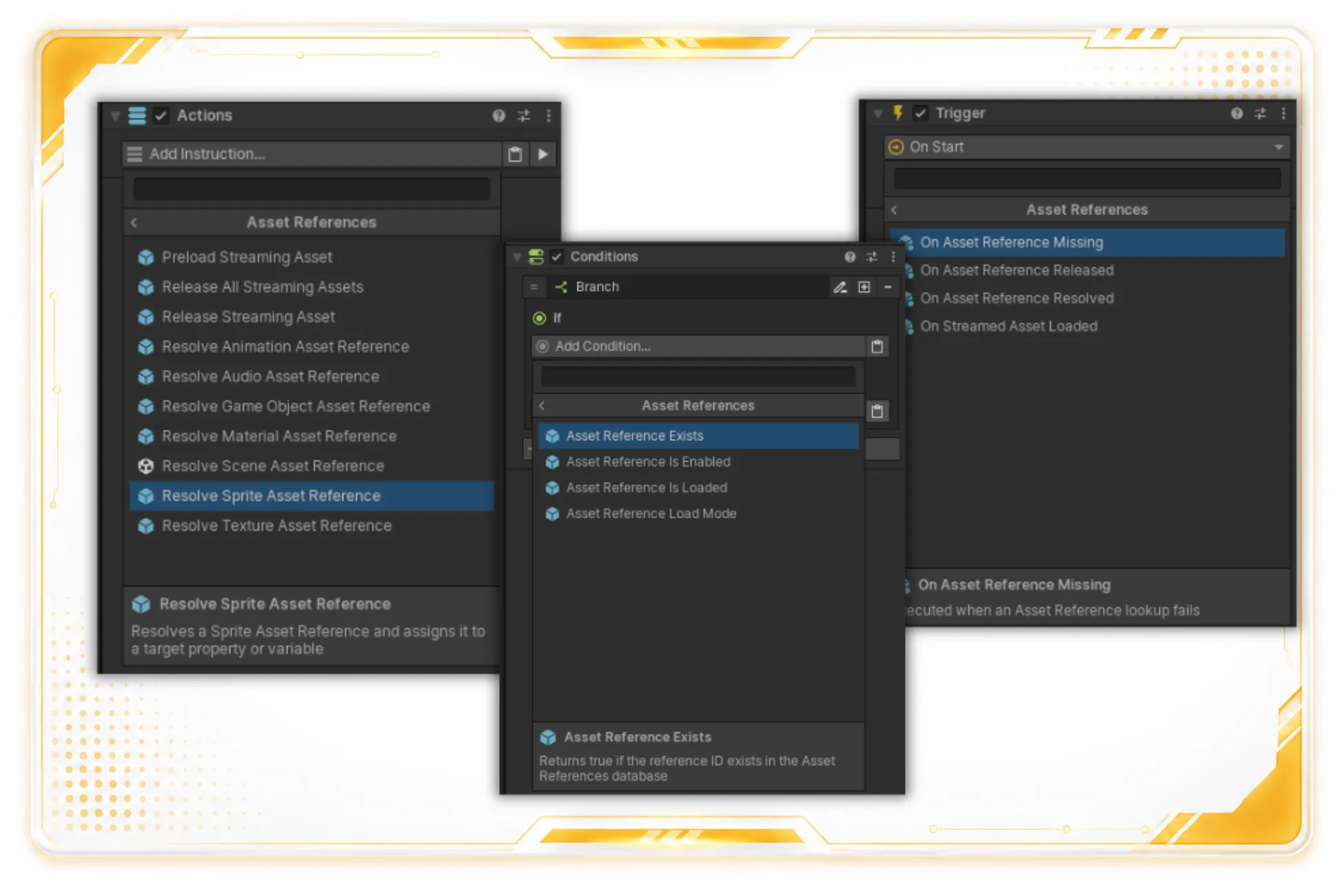
Asset References integrates with Game Creator 2’s normal visual-scripting surfaces. Game Creator 2 labels executable actions as Instructions, so this reference uses Instruction names alongside Conditions and Events.
Instructions
Section titled “Instructions”Available Instructions include:
Preload Streaming AssetRelease Streaming AssetRelease All Streaming AssetsResolve Game Object Asset ReferenceResolve Audio Asset ReferenceResolve Sprite Asset ReferenceResolve Texture Asset ReferenceResolve Material Asset ReferenceResolve Animation Asset ReferenceResolve Scene Asset ReferenceSet Local Asset ReferenceSet Global Asset Reference
Resolve Instructions assign the registered asset to a compatible Game Creator property or variable. The Scene variant assigns a scene build index to a Number property or variable.
Conditions
Section titled “Conditions”| Condition | Behavior |
|---|---|
Asset Reference Exists |
Checks whether an enabled Reference ID is registered. |
Asset Reference Is Loaded |
Checks whether a Direct asset is cached or a Streamed asset loaded. |
Asset Reference Is Enabled |
Checks whether the enabled entry exists in the runtime cache. |
Asset Reference Load Mode |
Compares the selected entry’s mode with Direct or Streamed. |
Events
Section titled “Events”| Event | Trigger |
|---|---|
On Asset Reference Resolved |
Get or TryGet resolves successfully. |
On Streamed Asset Loaded |
A Streamed reference finishes loading through TryGet or Preload. |
On Asset Reference Released |
A loaded Streamed reference is released. |
On Asset Reference Missing |
A requested ID cannot be resolved. |
Each Event can listen to every reference or filter to one Reference ID.
Related pages
Section titled “Related pages”- Properties and Variables lists supported property types and name-variable behavior.
- Streaming and Addressables explains preload and release policies.
- Examples includes resolve-to-variable and variable-driven workflows.